Deep Link Micro Pages
A small web page that travels with a physical thing.

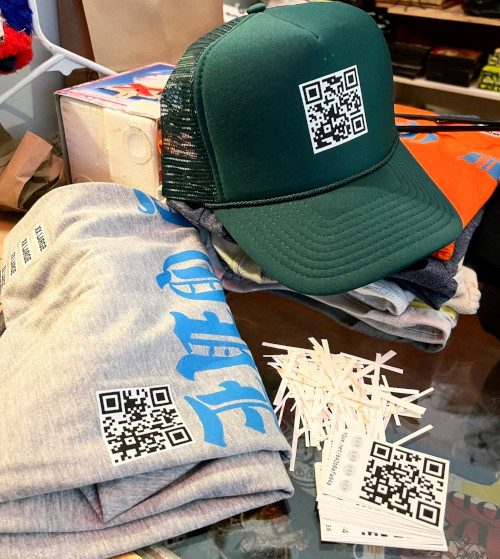
Every DLMP product has a QR code printed on it. Scan the code and it opens a small web page tied to that one item. Whoever owns the item owns the page. You can put links, text, and a picture on it, and change them whenever you want.

Each product also comes with a passcode. Enter the passcode on your page and you can edit it. There is no sign-up and no email needed. To open a page, scan its QR code or enter its account ID below.

Open a sample page to see what one looks like.

Questions

Common questions about Deep Link Micro Pages.
What is a Deep Link Micro Page?

  • It is a small web page tied to a physical product through a QR code.
  • Whoever owns the product owns the page and can edit it.

Why would I use it?

It gives a physical product its own web page. Use the page to share links, a bit of text, or a picture with whoever scans the code. The page belongs to the person who has the product, and it can change over time even though the product does not.

How do I get a page?

Every DLMP product has a QR code printed on it. Scan the code and it opens the page for that product. The code is unique to each item, so each item has its own page.

How do I edit the webpage?

Each DLMP product comes with a passcode. Enter that passcode on the product's page to show that you own it, and you can then edit what the page shows.

To reach the page, scan the QR code or enter the account ID into the Go to a page box on the homepage.

How do I change my redirect?

You set a redirect from your admin panel.

To open the admin panel, enter the account ID into the Go to a page box on the homepage and hit Edit.

What are badges?

Badges are non-fungible tokens minted on the IOTA test network. Each badge is unique to a single page.

Each unique badge has a specific variation of the following attributes:

  • Color: The badge color theme.
  • Convex Polygon: The embeded polygon.
  • Ribbon: The number of ribbons
  • Ribbon Shape: Ribbons are long, wide, and have a cut depth.
  • Lace: The number of teeth in the lace around the polygon and its depth.

How do I connect DLMP products?

Two DLMP pages can connect to share badges. To connect, log in first, then view another Deep Link Micro Page. At the bottom of that page you will see a connect button with this icon:

Who makes these?

Deep Link Micro Pages started at Y-Que Trading Post, a family screen printing shop in Los Feliz, Los Angeles. The first pages went on shirts printed there. The same idea works for any printed product, not just shirts, so a QR code can go on a hat, a mug, a sticker, or a box.

How do I contact you with an issue or feature request?

If you have an issue, a feature request, or a question, please fill out this form: